Lightweight Containers with Enroot
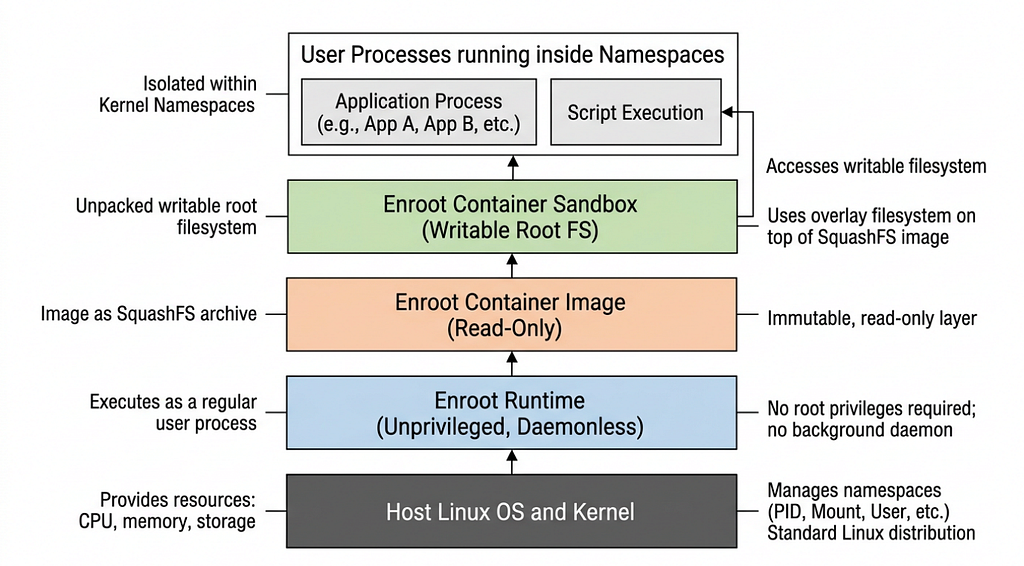
- 1 minEnroot is a very lightweight tool that lets you run container images (like Docker images) as if they were little isolated environments, but without needing a big container system or special privileges.
It’s particularly useful on shared or High-Performance Computing (HPC) systems where users lack root access.
Download
For Ubuntu, download the .deb packages:
$ VERSION=4.1.1
$ cd /tmp
$ curl -LO https://github.com/NVIDIA/enroot/releases/download/v${VERSION}/enroot_${VERSION}-1_amd64.deb
$ curl -LO https://github.com/NVIDIA/enroot/releases/download/v${VERSION}/enroot+caps_${VERSION}-1_amd64.deb
Installation
$ apt update -y
$ apt install /tmp/enroot_4.1.1-1_amd64.deb
$ apt install /tmp/enroot+caps_4.1.1-1_amd64.deb

## Optional if any dep issue
$ apt --fix-broken install
Validation
$ enroot version
4.1.1
Test containers
Download ubuntu:latest container using the following command:
$ enroot import docker://ubuntu:latest
[INFO] Querying registry for permission grant
[INFO] Authenticating with user: <anonymous>
[INFO] Authentication succeeded
[INFO] Fetching image manifest list
[INFO] Fetching image manifest
[INFO] Found all layers in cache
[INFO] Extracting image layers...

100% 1:0=0s

[INFO] Converting whiteouts...

100% 1:0=0s

[INFO] Creating squashfs filesystem...

Parallel mksquashfs: Using 4 processors
Creating 4.0 filesystem on /root/ubuntu+latest.sqsh, block size 131072.
The command generates a .sqsh file in the current directory:
$ ls -ltr *.sqsh
-rw-r--r-- 1 root root 58884096 Mar  1 21:48 ubuntu+latest.sqsh
Create container using the downloaded image:
$ enroot create --name myubuntu ubuntu+latest.sqsh
[INFO] Extracting squashfs filesystem...

Parallel unsquashfs: Using 4 processors
2786 inodes (3094 blocks) to write

created 2587 files
created 660 directories
created 197 symlinks
created 0 devices
created 0 fifos
created 0 sockets
List containers:
$ enroot list
myubuntu
Start container - it drops directly into the environment:
$ enroot start myubuntu
root@k8s-m01:/#
The default container image is read-only. For read-write access, use:
$ enroot start --rw --root myubuntu
In next blog, I will integrate enroot with pyxis and slurm to run some HPC jobs.